Featured Project: Wearable Technology & Human Data
A Scaffolded, Grant-Funded STEAM Experience through the Library Makerspace
Project Overview & Context
This project shows how a school library makerspace can serve as an instructional hub—supporting classroom teachers, using grant-funded resources responsibly, and giving students authentic, hands-on STEAM experiences tied to real human data.
Designed for grades 6–8, Wearable Technology with micro:bit: Fitness + Human Data is a clearly sequenced progression that introduces physical computing through wearable design challenges. Students build, test, improve, and explain as they work with inputs, outputs, sensors, and simple data tracking.
Because our students come with a wide range of skill levels, the progression was built to be flexible and equitable: teachers can run one activity as a quick entry point or use the full sequence to build skills over time. The lesson structure supports learners who need strong scaffolds while still leaving room for extension and student choice.
This work reflects my role as a Library Media Specialist and instructional partner. I focus on designing clear systems that reduce teacher cognitive load, increase student independence, and make makerspace learning purposeful, accessible, and repeatable across classes.
Instructional Purpose &
DESE Alignment
This project aligns with Missouri DESE priorities around inquiry-based learning, computational thinking, and student-centered problem solving. Rather than positioning technology as something students simply use or consume, the progression places students in the role of designers and engineers who create, test, and improve solutions connected to real human needs.
Instruction is built around a clear engineering cycle—Input → Code → Output → Improve—that students revisit across activities. As they work through each challenge, students collect and interpret data, make decisions through code, and provide meaningful feedback to a user. The focus stays on process and thinking, not just a finished product.
The instructional design emphasizes:
Applied Problem-Solving
Students engage in authentic problem-solving by identifying a need, testing ideas, and refining their designs based on results. Each activity requires students to connect data inputs (such as movement or tilt) to outputs that communicate information or prompt action.
Computational Thinking
Students practice key computational thinking skills including abstraction, pattern recognition, and algorithmic logic. For example, they define posture using numeric thresholds, use variables to track movement, and create conditional logic that responds to sensor data.
Iterative Design
Success is defined by testing, reflection, and improvement rather than producing a perfect first attempt. Students are expected to revise their designs after testing and explain what changed and why, reinforcing that iteration is a core part of the learning process.
Makerspace as
Instructional Infrastructure
This project demonstrates how a makerspace can function as an instructional system rather than an enrichment add-on. Each activity is intentionally structured, visually supported, and designed to stand alone or connect to a larger progression, allowing teachers to integrate makerspace learning in ways that fit their instructional goals and time constraints.
The sequence is organized into five levels:
Glow Badge (Entry)
Move Meter (Entry → Data)
Ready…Go! (Core)
Posture Coach (Advanced)
Training Buddy (Capstone)
Across the progression, students repeatedly engage in the same design cycle—Build → Test → Improve → Explain—while applying increasingly complex concepts. This repetition helps students internalize both the technical skills and the thinking process behind physical computing and wearable design.
Teachers are not expected to be micro:bit experts. Student task cards, visual supports, and a teacher facilitation guide provide clear structure so instructional focus remains on problem-solving, data use, and design reasoning rather than troubleshooting code. This approach removes unnecessary complexity for teachers while increasing student independence and consistency across classes.
Teacher Collaboration & Capacity Building
A defining feature of this project is the inclusion of a teacher-facing facilitation guide designed to support classroom teachers and specialists in implementing wearable technology confidently and effectively.
Rather than relying on step-by-step coding instructions, the facilitation guide centers instructional decision-making. It includes:
the instructional purpose of each activity
teacher scripts that frame conceptual understanding without over-directing student work
guidance on what to emphasize and what not to over-teach
formative assessment look-fors aligned to the engineering process
differentiation strategies that support a wide range of learners
This structure allows teachers to adapt the progression to their classroom context while maintaining instructional integrity. It also shifts the focus away from troubleshooting technology and toward student thinking, problem-solving, and reflection.
This work reflects my role as an instructional leader who collaborates with teachers, anticipates instructional barriers, and designs systems that build teacher capacity and support consistent, high-quality implementation across classrooms.
Student-Facing Instruction & Visual Design
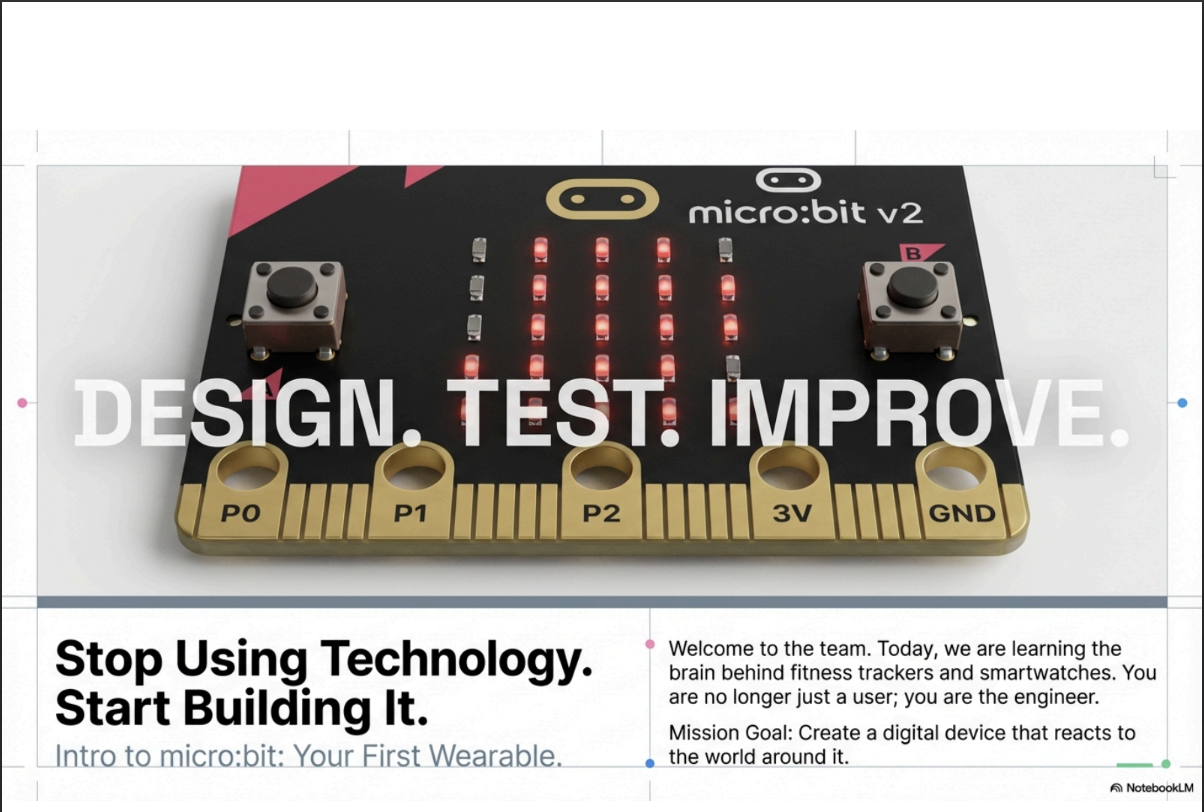
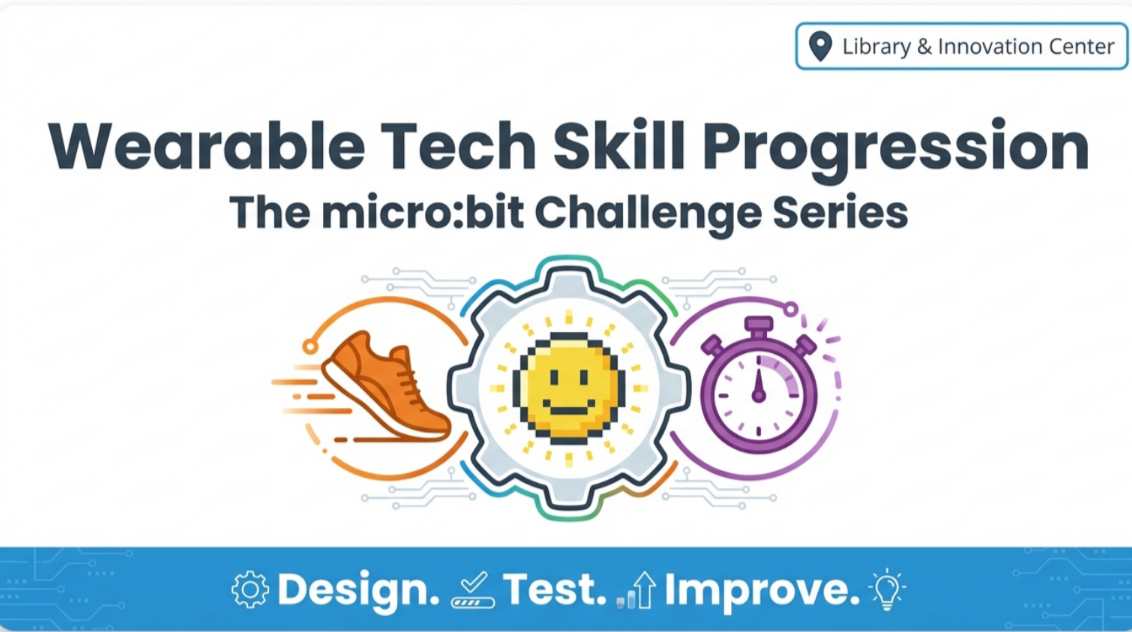
Student-facing materials were intentionally designed to be visual, concise, and accessible, supporting students as they move from initial exposure to independent, hands-on work.
The project begins with a brief onboarding slide deck that introduces micro:bit hardware and the MakeCode programming environment. Through a low-stakes, whole-group activity, students learn how inputs and outputs work, how to test code using the simulator, and how physical computing connects to real-world problems. This shared entry point ensures all students begin the wearable challenges with the same foundational understanding, regardless of prior experience.
Once onboarded, slide decks and task cards introduce each wearable challenge with clear goals, examples, and guiding prompts. Students can work independently or collaboratively without relying heavily on written directions, allowing class time to focus on building, testing, and problem-solving rather than interpreting instructions.
Visual design choices are purposeful rather than decorative. Limited text, consistent layouts, and clear icons help reduce cognitive load, particularly for students who benefit from visual supports. Color coding is used consistently across slide decks, task cards, and facilitation materials to signal levels of complexity and progression, supporting both student understanding and teacher pacing decisions.
Skills Progression & System Coherence
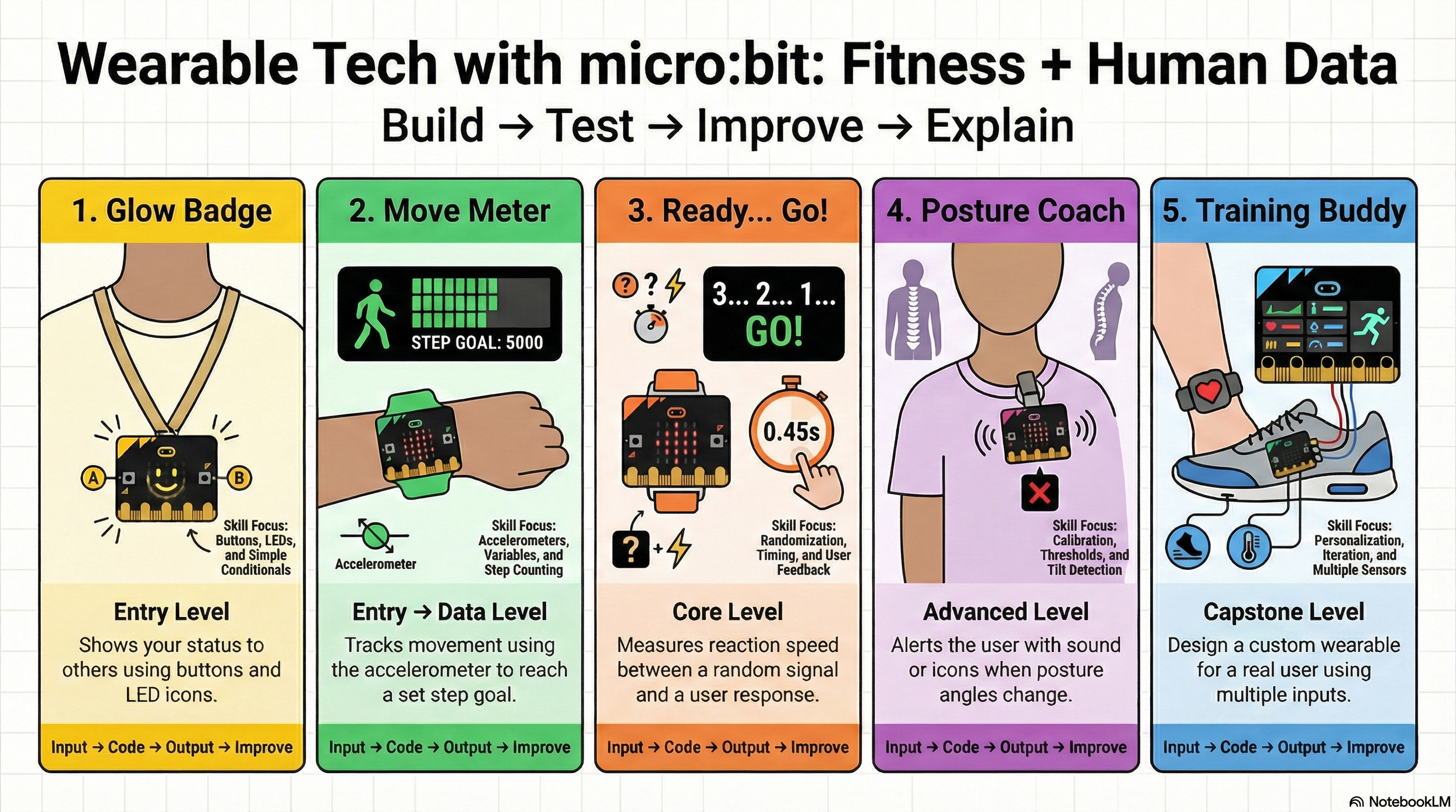
A visual skills progression infographic anchors the project by showing how concepts build over time, from simple inputs and outputs to multi-sensor, user-driven wearable design. Rather than treating each activity as a standalone task, the progression makes the underlying learning visible and helps students recognize how skills transfer from one challenge to the next.
This artifact supports systems thinking by clarifying both what students are learning and why each step matters. For teachers, it provides a shared instructional map that supports pacing, grouping, and targeted support. For students, it reinforces that growth comes from building on prior knowledge rather than starting over with each new activity.
Assessment & Evidence of Learning
Assessment throughout the project is formative and process-based. Rather than grading a final piece of code, teachers look for evidence of student understanding through the engineering cycle and the decisions students make as they build and revise their designs.
Teachers assess learning by observing and conferencing around key questions:
Can students identify what data their device is collecting?
Do they understand the logic connecting input to output?
Is the feedback their device provides meaningful to a user?
Can students explain what they changed after testing and why?
Reflection may be written, verbal, or demonstrated through code changes, allowing students multiple ways to show understanding. This approach aligns with DESE’s emphasis on authentic assessment and supports equitable access by valuing thinking, process, and growth over a single finished product.
Equity, Access, and Differentiation
Equity and access are embedded by design throughout the project rather than added as accommodations after the fact. Instructional materials and structures are intentionally built to support a wide range of learners while maintaining high expectations for all students.
The project includes:
visual-first instruction to reduce reading barriers and support comprehension
multiple entry points that allow students to engage at varying levels of readiness
flexible team roles so students can contribute based on strengths such as design, testing, coding, or explanation
remixable code that supports emergent learners without limiting problem-solving
extension opportunities for advanced students, including data logging, JavaScript exploration, and structured user testing
These supports allow all students to participate meaningfully in the design process while still being appropriately challenged. By prioritizing access, choice, and flexibility, the project creates conditions where students can grow as problem-solvers and designers regardless of prior experience.
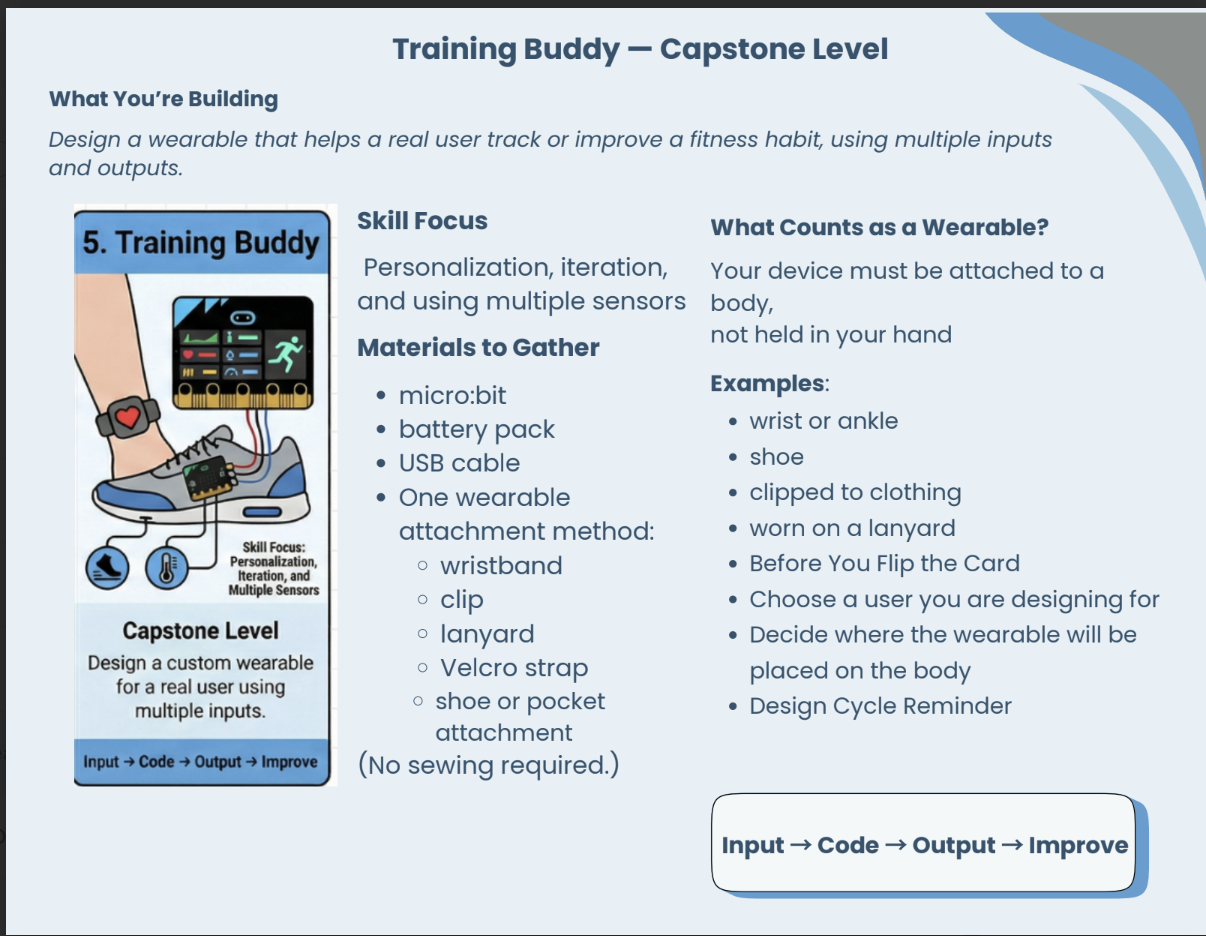
Student Task Cards
To support independence and equitable access, each challenge includes a student-facing task card with visual prompts, step-by-step guidance, and clear success criteria. Task cards allow students to move through the design process at their own pace while reducing reliance on repeated verbal directions.
Grant Impact & Sustainability
Grant Impact & Sustainability
This project exemplifies responsible and sustainable use of grant-funded resources. micro:bit kits and wearable materials are used across multiple activities, grade levels, and instructional contexts, ensuring long-term value beyond a single lesson or unit.
The modular structure allows teachers to implement individual challenges as short instructional experiences or use the full progression to build skills over time. Because materials, task cards, and facilitation supports are reusable, the project can be adapted for different classes, schedules, and learning goals without requiring additional purchases.
This approach reflects intentional grant stewardship. Funding supports a system of instruction that can grow and evolve rather than a one-time experience, extending the impact of the grant well beyond the initial implementation.
Reflection
This project reflects my approach to library leadership: designing instructional systems that are clear, flexible, and grounded in how students actually learn. By pairing strong entry points with layered challenges and teacher-facing supports, the library becomes a space where students build confidence, apply critical thinking, and engage in meaningful problem-solving over time.